
Practical guide / inventory
Equipment and stash
A found item is only useful when you know where it is, whether your hero can wear it and what changes when you equip it.
Inspect • Compare • Equip • Store
Three places for equipment
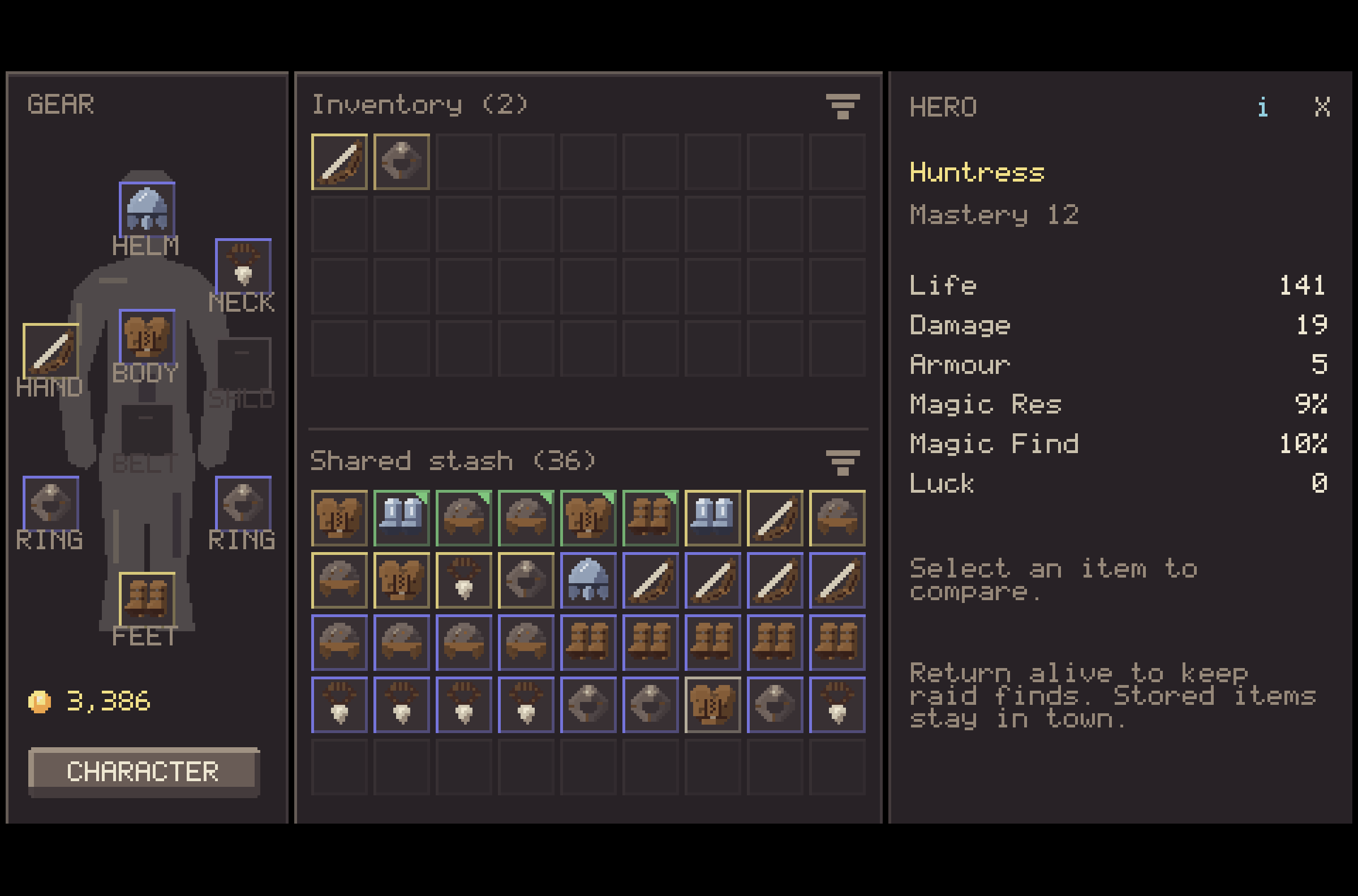
- Gear
- The hero's worn slots
- Inventory
- Equipment carried by this hero
- Shared stash
- Town storage available to your heroes
In the inventory screen, the worn gear is on the left, the carried inventory and shared stash occupy the middle, and item or hero details appear on the right. Shared stash access is available in town; a raid inventory does not open it.
What is at risk in a raid?
Successful extraction retains your final equipped loadout and carried pack. Death or abandonment loses everything in the pack, including items brought from town, and restores your departure equipment. New finds are lost even if you equipped them during the raid. Your shared town stash stays safe. You retain half the gold and XP collected in a failed or abandoned raid.
Inspect and compare
- Select the item. Use the pointer or touch a carried or stored item. With a keyboard, move focus with Tab, choose an item with arrow keys or WASD, then use Enter or Space.
- Read the item view. Check its equipment slot, any mastery requirement, inherent properties and additional effects. The displayed values belong to that particular copy.
- Compare before replacing. Look at the currently worn item and the proposed change. An incompatible class or unmet mastery requirement prevents equipping; the comparison can still show the item for review.
Equip and move
Activate a compatible item in the carried inventory to equip it. At the town chest, an item in Shared stash can also be equipped directly if there is room in the carried inventory for the exchange. Drag an item to an equipment slot to choose its destination; ring slots may need an explicit choice.
To store an item at the town chest, drag it from Inventory into Shared stash. Drag the other way to take it back. On keyboard, focus the item and press Ctrl+Space to transfer between the two grids. The secondary item action also stores or takes an item; it is bound to X on keyboard. A controller can move focus with the directional pad, switch panels with the shoulder buttons, activate with the primary face button and use the secondary face button for storage transfer.
Organise in town
The town interface offers Stash All for the carried pack; equipped gear stays worn. Mannequins are available from the town stash screen for saved outfits. Review every change before selling gear in the shop.